
Best Wireless Android Auto Adapter in 2026: Top Picks

Cutting the USB cord for Android Auto is a five-minute job once you know which type of wireless adapter matches your car. The best wireless Android Auto adapter overall in 2026 is an AI CarPlay box, because it adds full Android 13 app support on top of wireless Android Auto instead of just killing the cable. The best pick for a car with no built-in screen is a wireless Android Auto display kit, and the best budget option is a plug-and-play wireless dongle that skips extra hardware entirely.
TL;DR
An AI CarPlay box is the best wireless Android Auto adapter overall for factory-wired 2026 vehicles.
Wireless Android Auto display kits win for cars with no built-in screen at all.
Dash cam combo adapters cover recording and wireless Android Auto in one unit.
Multi-phone adapters solve pairing headaches in shared or family vehicles.
Dual-band WiFi and Android 13 support separate reliable adapters from laggy ones.
Why this matters
Wired Android Auto works fine until the cable frays, the port loosens, or you get tired of plugging in every single drive. A wireless Android Auto adapter removes that step: plug the small unit into your car's existing Android Auto port once, pair your phone over WiFi, and the interface launches automatically every time you start the engine. AutoTitan's wireless CarPlay and Android Auto lineup covers most of the categories below, but the type that fits your car matters more than the brand name on the box.
Not every adapter does the same job in 2026. Some just remove the cable. Others add a screen, a dash cam, or a data connection your phone never had. Picking the wrong type means paying for features you won't use, or missing the one feature that actually solves your problem.
What makes the best wireless Android Auto adapter
Android version support – Android 13 unlocks more app compatibility than the older builds still shipping in cheap dongles.
Dual-band WiFi – 2.4GHz and 5GHz radios cut the lag and dropped connections that single-band units suffer in parking garages.
Auto-reconnect speed – a good adapter relaunches Android Auto within seconds of starting the car, not after a manual re-pair.
Screen and port compatibility – the adapter has to match your factory Android Auto wiring, not just any open USB port.
Build and heat handling – a box mounted behind the dash runs warm all day; poor heat dissipation shortens its life.
Firmware updates – adapters that keep getting updates fix bugs; ones that don't get abandoned after the first freeze.
Reconnect speed and dual-band WiFi separate a reliable adapter from a laggy one.
Wireless Android Auto adapters at a glance
Type | Best for | Standout feature | Key limitation |
AI CarPlay box | Full app access on a factory screen | Runs Android 13 apps alongside wireless Android Auto | Needs a factory screen already wired for Android Auto |
Wireless Android Auto display kit | Cars with no built-in screen | Bundles a screen and adapter into one dash-mounted unit | Visible install, more wiring time than a dongle |
Portable wireless Android Auto display | Older cars, or moving between vehicles | Standalone unit, no factory wiring required | Sits on top of the dash, not flush with the trim |
Dash cam combo adapter | Drivers who want recording built in | Records drive footage while running Android Auto wireless | Storage card fills faster running two functions |
4G LTE wireless adapter | Built-in data without draining the phone | Runs its own SIM connection for navigation and traffic | Needs a separate data plan |
Multi-phone wireless adapter | Shared or family vehicles | Stores multiple paired phone profiles | Switching profiles adds a step at startup |
Budget plug-and-play dongle | The simplest possible upgrade | Cuts the USB cable with zero setup screens | No apps, no dash cam, no LTE |
1. AI CarPlay Box: best wireless Android Auto adapter for full app access
An AI CarPlay box plugs into the port your car already uses for wired Android Auto and runs Android 13 underneath it. That means streaming apps, extra navigation layers, and app-store installs run on top of wireless Android Auto instead of being locked out of it. AutoTitan's best AI CarPlay boxes in 2026 breaks down seven variants by use case if you want the full comparison beyond adapters alone.
AI CarPlay box pros:
Full Android 13 app support, not just mirrored Android Auto
Auto-reconnects wireless Android Auto every time you start the car
Works with your existing factory screen, no new display needed
AI CarPlay box cons:
Only works if your car already has wired Android Auto to plug into
Mounts behind the dash and needs airflow to avoid overheating
Best for: drivers who want more than Android Auto without replacing the head unit. Verdict: Buy.
2. Wireless Android Auto Display Kit: best for cars with no built-in screen
This kit bundles a touchscreen with the wireless adapter, so a car that never had Android Auto gets both the screen and the wireless connection in one install. It mounts into the dash trim or replaces the factory radio faceplate, and many models double as a backup camera display.
Display kit pros:
Adds a touchscreen where none existed before
Wireless Android Auto works immediately after setup
Often doubles as a reverse-camera monitor
Display kit cons:
Visible aftermarket look compared to a factory screen
Wiring to power and reverse camera adds install time
Best for: older cars with no factory infotainment screen at all. Verdict: Buy.
3. Portable Wireless Android Auto Display: best for older cars or moving between vehicles
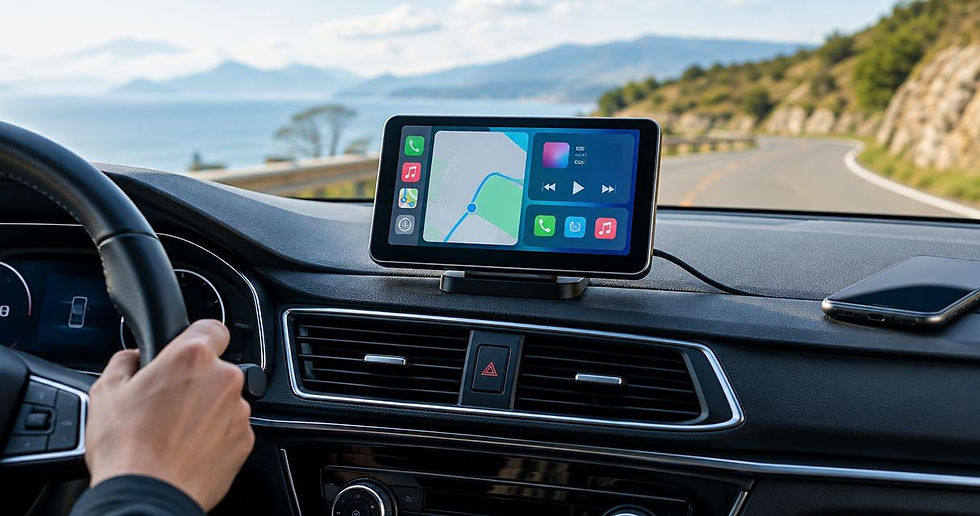
A portable display is a standalone touchscreen with wireless Android Auto built in. It sticks to the dash or windshield instead of wiring into the trim, so it moves between cars in minutes.
Portable display pros:
Works in almost any car, including trucks and older models
No cutting into dash trim or factory wiring
Moves between vehicles if you drive more than one
Portable display cons:
Sits on top of the dash instead of flush with it
Still needs a power cable running to a USB port
Best for: a second vehicle or a car you don't want to modify permanently. Verdict: Buy.
If the unit takes longer than a few seconds to reconnect after you start the engine, it isn't a wireless upgrade — it's a wireless chore.
4. Dash Cam Combo Adapter: best for recording built in
A dash cam combo adapter runs Android Auto wireless while recording drive footage through the same box. One power run covers both jobs instead of installing a separate dash cam and a separate adapter.
One box behind the mirror handles recording and the wireless Android Auto connection.
Dash cam combo pros:
One purchase and one install covers recording plus wireless Android Auto
Saves running a second power cable for a standalone dash cam
Footage and Android Auto share the same memory card slot
Dash cam combo cons:
Storage fills faster running two functions on one card
Camera angle is fixed to the mirror mount position
Best for: drivers who want dash cam footage and wireless Android Auto from a single box. Verdict: Buy.
5. 4G LTE Wireless Adapter: best for built-in data
A 4G LTE adapter carries its own SIM slot, so navigation and traffic data run off the car's own connection instead of the phone's hotspot. That keeps maps live even when the phone's data is off or the battery is low.
LTE adapter pros:
Navigation stays live without draining the phone's hotspot
Frees up phone data for passengers streaming separately
LTE adapter cons:
Needs its own data plan or SIM to function
Setup takes longer than a standard dongle
Best for: commuters who lean on live traffic and are tired of hotspot mode. Verdict: Buy.
6. Multi-Phone Wireless Adapter: best for shared or family vehicles
This type stores more than one paired phone profile, so a shared car doesn't need to re-pair every time a different driver takes the wheel.
Multi-phone adapter pros:
Stores multiple driver profiles without re-pairing
Useful for family cars or fleet vehicles with rotating drivers
Multi-phone adapter cons:
Switching profiles adds a manual step at startup
Fewer models on the market than single-profile adapters
Best for: households or small fleets with more than one regular driver. Verdict: Hold unless multiple drivers actually share the car daily.
7. Budget Plug-and-Play Dongle: best for the simplest upgrade
This is the bare-bones option. One job only — it turns wired Android Auto wireless, with no screen, no dash cam, and no LTE attached.
Budget dongle pros:
Fastest install of any option on this list
No setup screens or app pairing steps
Budget dongle cons:
No app support beyond native Android Auto
No dash cam, LTE, or multi-phone features to grow into
Best for: drivers who just want the cable gone and nothing else added. Verdict: Buy if simplicity is the only requirement.
How we ranked these
Each type is ranked against the six criteria above: Android version support, dual-band WiFi, reconnect speed, screen compatibility, build quality, and firmware update history. No two items compete for the same use case, so the order reads as a decision tree by need, not a single leaderboard.
Compare wireless adapters by use case
See AutoTitan's full wireless CarPlay and Android Auto range before you buy.
Which wireless Android Auto adapter should you choose in 2026?
If your car already has wired Android Auto and you want more than the cable gone, the AI CarPlay box is the default answer — it's the only type on this list that adds full app access instead of just removing a wire. If your car has no built-in screen, skip straight to the wireless Android Auto display kit and stop cross-shopping dongles that need wiring you don't have. Everyone else should match the adapter to the one feature they actually need — recording, LTE data, multiple drivers, or nothing extra at all — rather than buying the biggest box on the shelf.
FAQ
What is the best wireless Android Auto adapter in 2026?
An AI CarPlay box running Android 13 is the best wireless Android Auto adapter overall in 2026 because it adds full app support on top of the wireless connection. A basic dongle is enough if you only want the cable gone.
Is a wireless Android Auto adapter better than a factory wireless car?
A wireless Android Auto adapter retrofits wireless functionality onto a car that only shipped with wired Android Auto. Factory-wireless cars don't need one at all.
Does a wireless Android Auto adapter work with any car?
It only works if your car already has wired Android Auto to plug into, unless you choose a display kit or portable display that includes its own screen and doesn't need existing wiring.
Do wireless Android Auto adapters need their own WiFi?
No. The adapter creates its own short-range WiFi connection to your phone; dual-band 2.4GHz and 5GHz models handle this with less lag than single-band units.
Can a wireless Android Auto adapter run apps beyond Android Auto?
Only AI CarPlay boxes running Android 13 add extra app support. Basic dongles, display kits, and dash cam combos only mirror standard Android Auto.
How long does a wireless Android Auto adapter take to install?
A basic plug-and-play dongle installs in a few minutes since it uses the existing Android Auto port. Display kits and portable displays take longer because they add wiring or mounting.
Do dash cam combo adapters record while Android Auto is running?
Yes, dash cam combo adapters record continuously while running wireless Android Auto, sharing the same power source and memory card.
Is a 4G LTE wireless adapter worth it over a phone hotspot?
An LTE adapter keeps navigation live without draining your phone's battery on hotspot mode, but it needs its own data plan, so it's only worth it if you use live traffic data often.
One last thing
The single biggest complaint with cheap wireless Android Auto adapters in 2026 isn't the price, it's reconnect time. A single-band unit can take 15-20 seconds to relaunch Android Auto after you start the engine; a dual-band adapter with Android 13 typically reconnects in under 5 seconds. That gap is the real difference between an adapter you forget about and one you regret buying.


Comments